ISSN Barcodes for Magazines & Newspapers
ISSN barcodes are made from ISSN numbers.
If you already have the ISSN number for your magazine, newspaper, or other periodical publication, please proceed to purchase the ISSN barcode images below.
If you don’t yet have an ISSN, please click here for information on how to obtain an ISSN number. Then, when you have your ISSN number, you can return it to our website and order the barcode here.
Decide which format you want (with or without issue number), and whether you have any preferences for the digits in the code (e.g. the price code). See below for information. Please enter your ISSN number into the “ISSN number” box (or “additional information” box) on the checkout page.
Your barcode images will be emailed to you in 3 formats (png, svg and pdf).
Please watch our short video explainer.
-
Buy product This product has multiple variants. The options may be chosen on the product page
ISSN Barcode Images
Select either a standard ISSN (for all issues) or an ISSN with a two-digit issue number (01 to 99) from the drop-down options below.
No Issue Number (all editions use same barcode)

Enter your 8-digit ISSN number(s) here in the format xxxx-xxxx OR as 977xxxxxxxxxx if you know the full number you want.
Examples: 1234-5670 or 9771234567003
With Issue Number (each edition has a different two-digit supplement from 01 to 99)
 Enter your ISSN number(s) in the format xxxx-xxxx-yy where xxxx-xxxx is the ISSN and yy is the 2-digit supplement (01-52 for weekly, 01-12 for monthly).
Example: 1234-5678-01
Quantity Price per image 1 € 15.00 2 € 12.50 each 3 € 10.00 each 4 + € 8.00 each 5 + € 7.00 each 10 + € 5.00 each
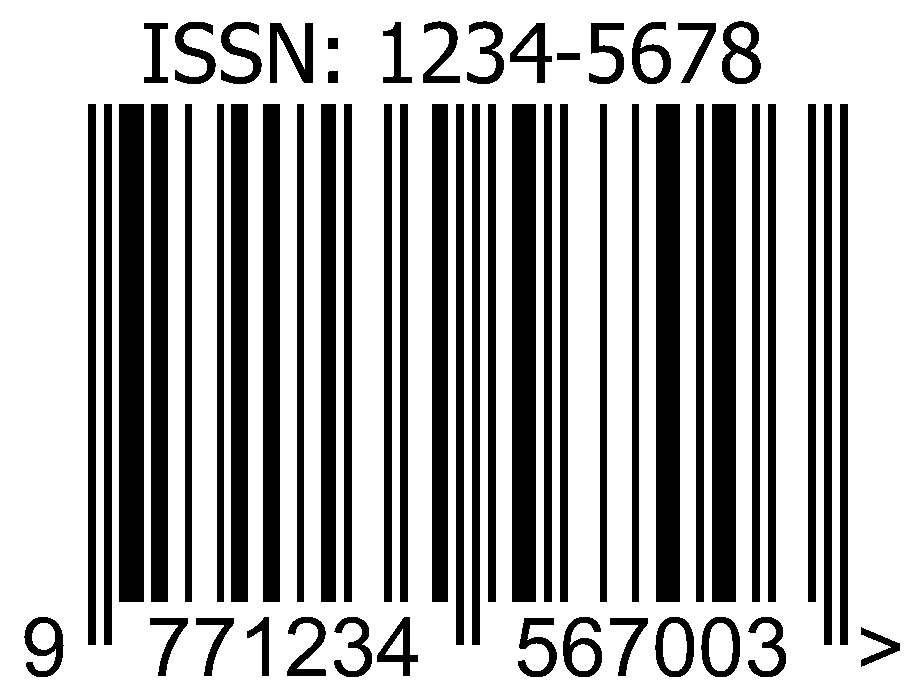
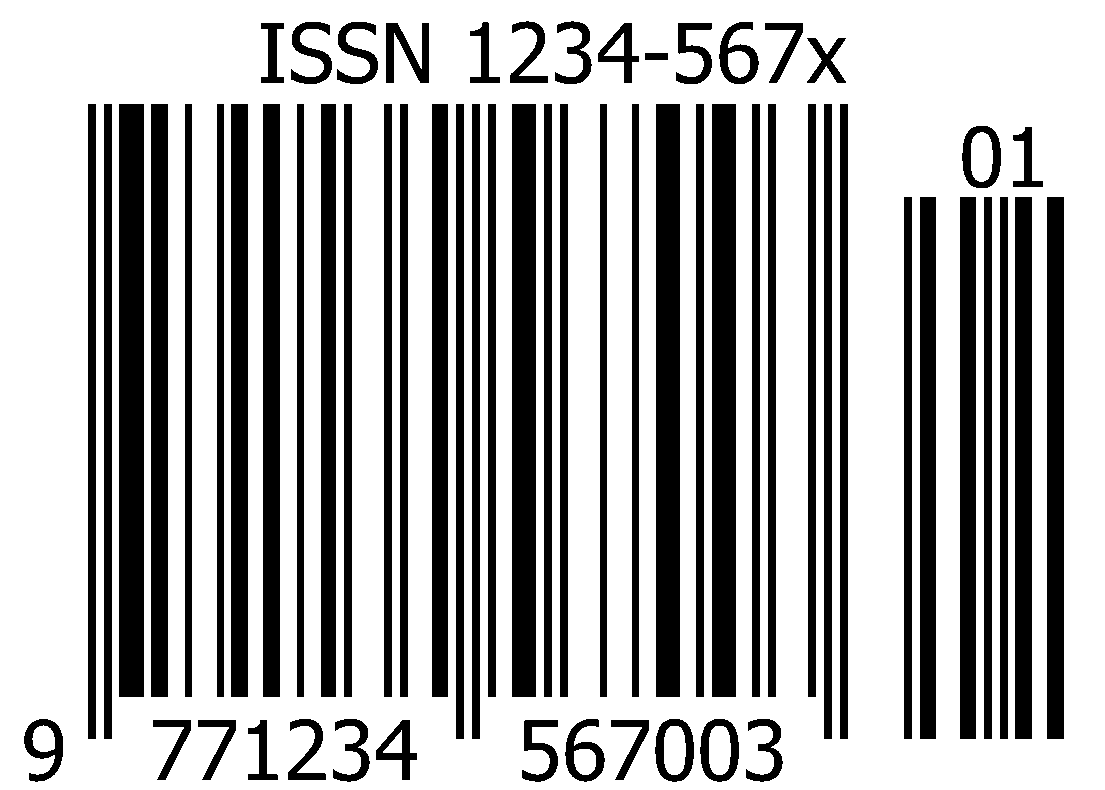 Enter your ISSN number(s) in the format xxxx-xxxx-yy where xxxx-xxxx is the ISSN and yy is the 2-digit supplement (01-52 for weekly, 01-12 for monthly).
ISSN Barcode Format
An 8-digit ISSN number is converted into a 13-digit EAN13 barcode in this way: the last of the eight digits is removed (this is a checksum), 977 is added to the front of the number, a nominal price code is added to the number (usually 00), and then the last digit checksum is added. For example, ISSN 1234-5678 would become 9771234567003. If the price was increased, the 2-digit price code should be changed, e.g. from 00 to 01, and a new barcode created, e.g. 9771234567010.
Some publications add a 2-digit supplement barcode after the main barcode to show the edition number. The 2-digit supplement can then vary with the issue, e.g. it could be 01-12 for 12 monthly issues, 01-52 for weekly issues, or 01-04 for quarterly issues. These barcodes can be reused yearly as they only need to be changed when the price changes.
How to use your ISSN barcode:

After we receive your order, we will make and email your barcode images to you. The images will come in 3 formats (png, svg and pdf). You can choose the format you prefer. Insert the barcode into the design for your magazine or newspaper cover. After your publication has been printed and distributed to your retailers, they will enter the barcode number and information into their store inventory system. After that, when your barcode is scanned, the product details will appear on the retailer’s screen.
Edition Number:
If you want to show the edition number, request the EAN13+2 format. This format allows supplement digits at the end, like in the example below. Please let us know the edition number you want in the order notes section of the checkout page when you place your order. We can give you barcode images with either 2-digit or 5-digit supplement numbers.

Publications we make barcodes for

